Quality Assurance Officer: Assign tasks to the contractor using the KiK tool
With the KiK integration, as a quality assurance professional, you can link actions to a project’s construction numbers. These actions are then forwarded to STA Software so the contractor can respond to them. In this article, you’ll learn how to link an action to a construction number and how to evaluate the contractor’s response.
Link an Action to a Construction Number
Follow the steps below to assign an action to a construction number in KiK.
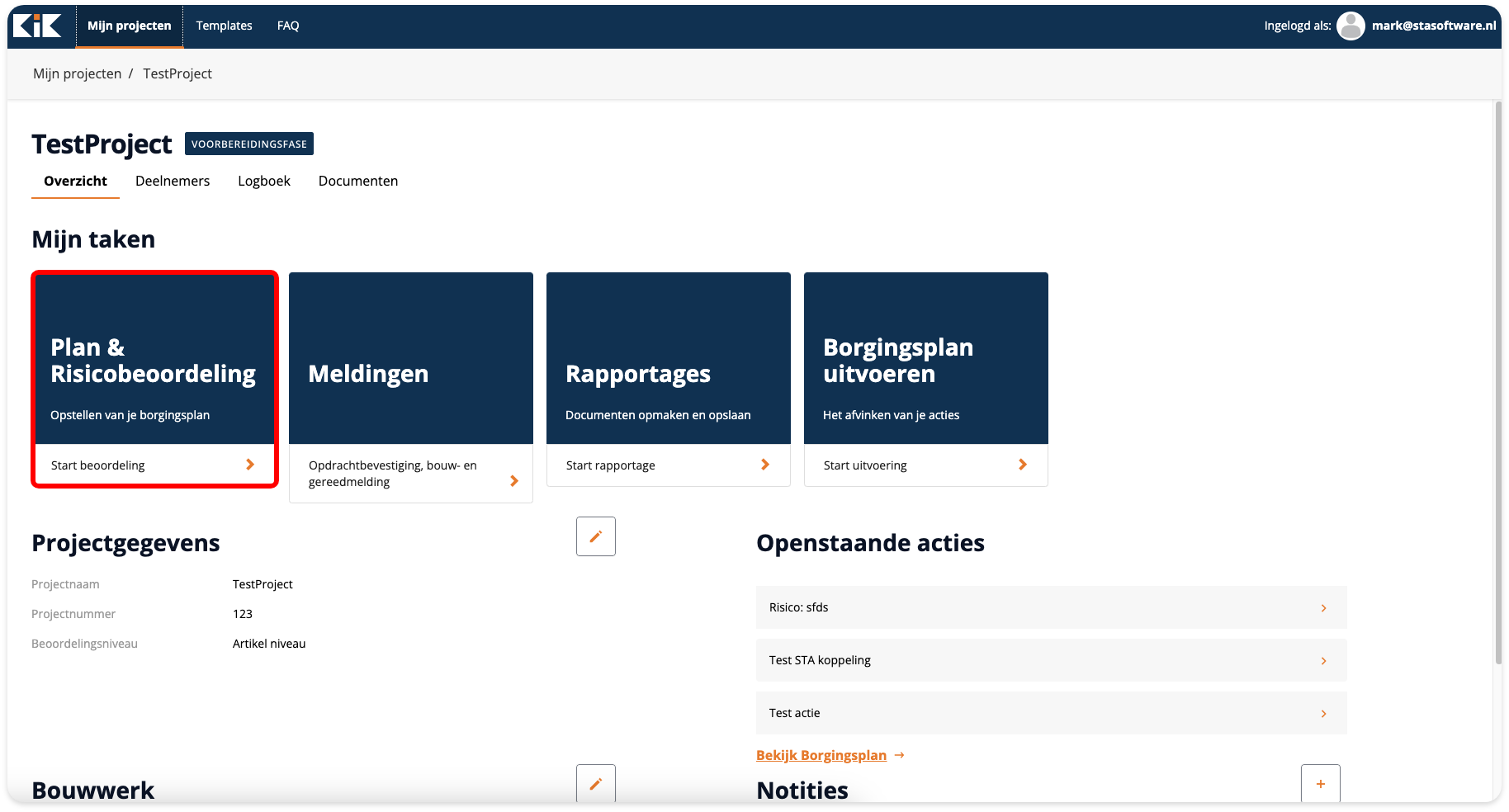
Go to the contractor’s project.
Click Start Assessment.
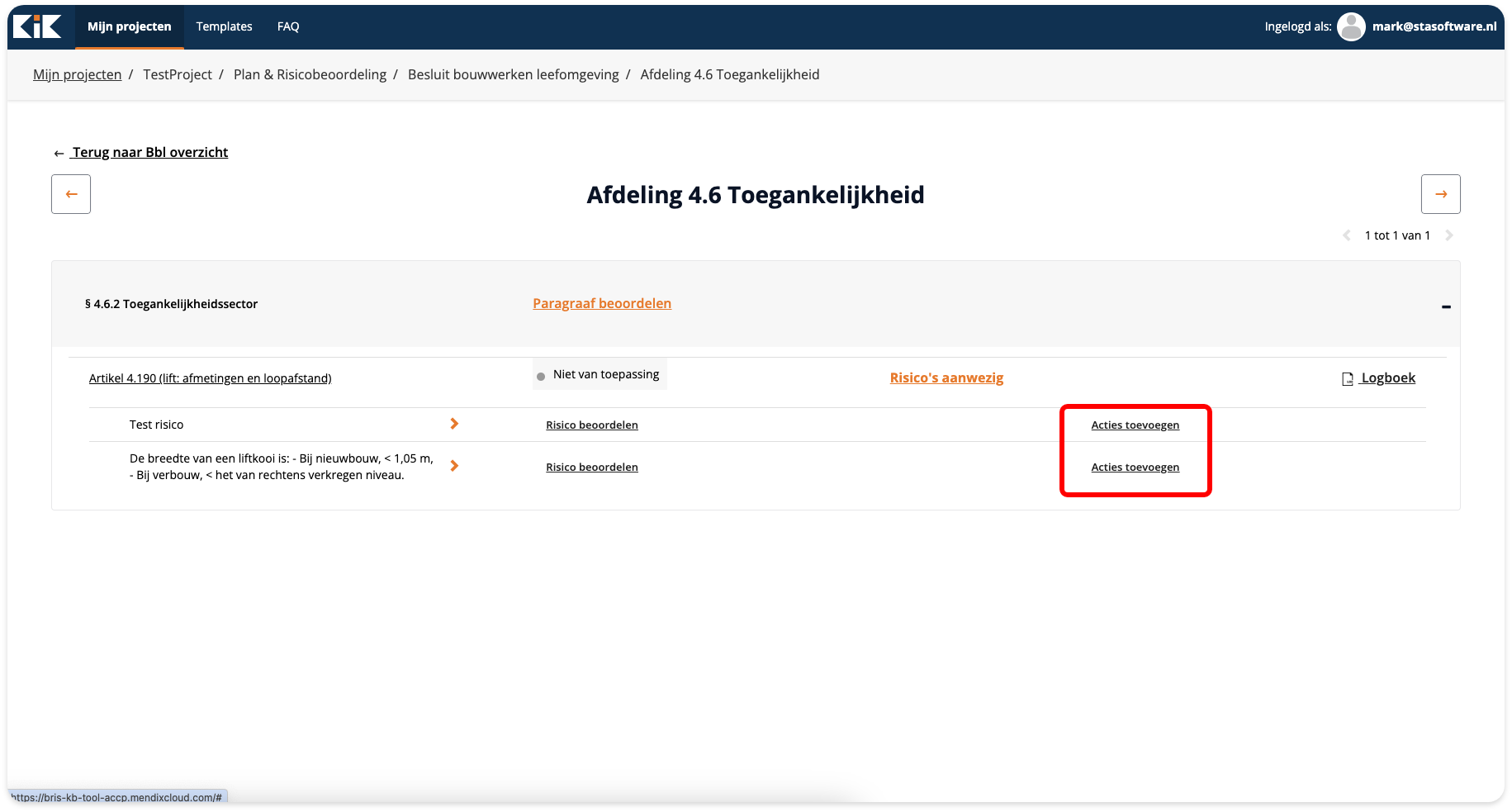
Add the appropriate risks to the chapter lines.

Click “Add Actions” next to the risk.
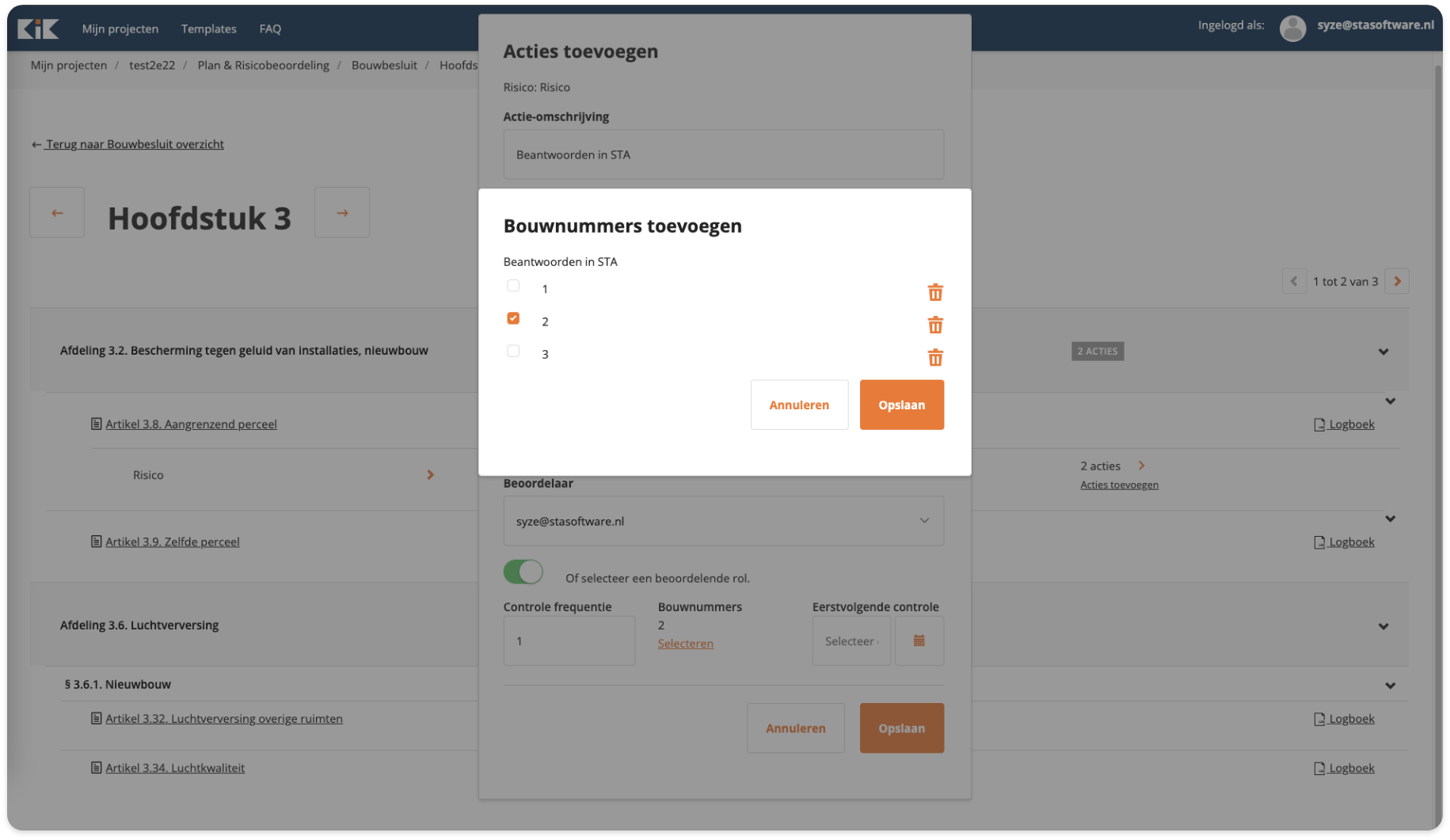
Assign the action to the correct construction number.
The action is then set up for the contractor in STA Software.
Points to Consider When Assigning Actions
When assigning actions, keep the following points in mind:
Not all NL-SfB codes are supported by STA Software.
If an action is forwarded with a code that isn’t supported, a warning will appear in the construction number overview in STA Software.Always link a single construction number to an action.
If you link more than one construction number to the same action, the action will not be forwarded to STA Software.The frequency is always set to 1 in STA Software.
Even if you adjust the frequency in KiK, it remains set to 1 in STA Software.
Evaluate the contractor’s response
As soon as the contractor has responded to an action, you can evaluate the response in KiK.
Go to the project.
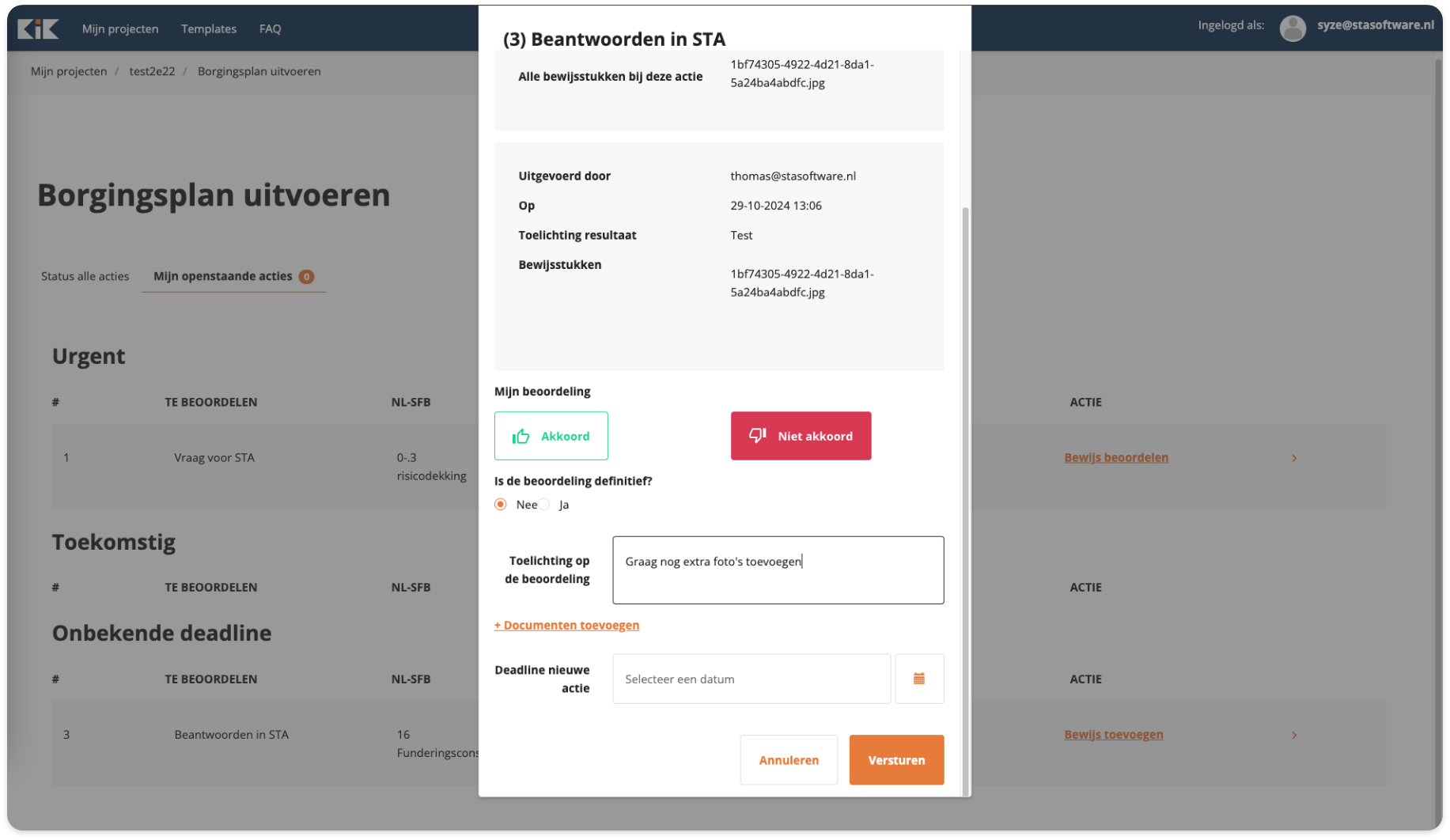
Click on “Execute Quality Assurance Plan.”
Select the response you want to evaluate.
Indicate whether the response is approved or not approved.
Indicate whether the assessment is final.
Final or Non-Final Assessment
Be careful when making an assessment final.
If you make the review final, the contractor will no longer be able to change the answer.
Do you want the contractor to still be able to adjust the response, for example after repairs? If so, set the assessment to “not final.”
Good to know
The notes and documents you attach to the assessment are visible to the contractor in STA Software.
Don’t have the KiK integration yet? You can request it via “Request Integration.”

If you don’t have this integration yet, you can always request it via the following link: Request a Link
Frequently Asked Questions
Why do I see a warning when performing an action in STA Software?
This can happen if the linked NL-SfB code is not supported by STA Software.
Can I link multiple construction numbers to a single action?
No. Always link only one construction number to a task. If multiple construction numbers are linked, the task will not be forwarded to STA Software.
Can the contractor still edit a response after I’ve reviewed it?
Only if you do not mark the assessment as final. Once the assessment is final, the contractor can no longer change the response.
Was this helpful?
Still need help? Ask the team